
Use memos to capture clinically relevant pre-charting details and questions to discuss with the patient. They're also a place to document personal reminders for the encounter, lab results, or notes you want to modify before adding to your clinical summaries. You can use memos to capture a sentence or paragraph of text to add to your Library, and more.
To create a memo:
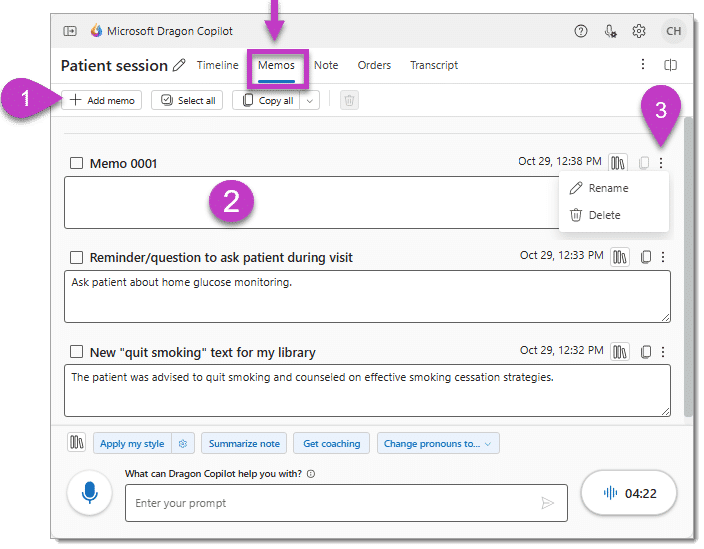
- Select the Add memo button on the Memos tab.
- Type or dictate the content for your memo. The memo content is automatically saved.
- (Optional) Rename the memo for clarity.
Note
The patient session stores content in your memos. It doesn't become part of the medical record unless you copy and paste it into a note section in the Note tab or your EHR.