
After you complete a recording, Dragon Copilot uses AI to organize data into the appropriate flowsheet sections. Make sure that the date and time accurately reflect when each task was completed.
Important
- Adjust the time in the EHR before selecting Ready for Review. Once you begin editing, you can't change the date or time.
- If you have questions about any steps described in this article, refer to your organization’s EHR instructions for guidance.
Review and edit
Check the entire flowsheet, validate AI-generated values, and make any necessary edits before filing.
- You can review, edit, and file AI-extracted observations from your recordings using Rover, Hyperspace, or Accelerator.
- If the patient has more than one LDA, review each assessment individually.
- Unvalidated AI values are clearly marked, and you can reference the ambient source without leaving the flowsheet.
To view ambient source in Hyperspace
- Select the assessment row for the value you want to review.
- The source automatically appears in a sidebar on the EHR desktop.
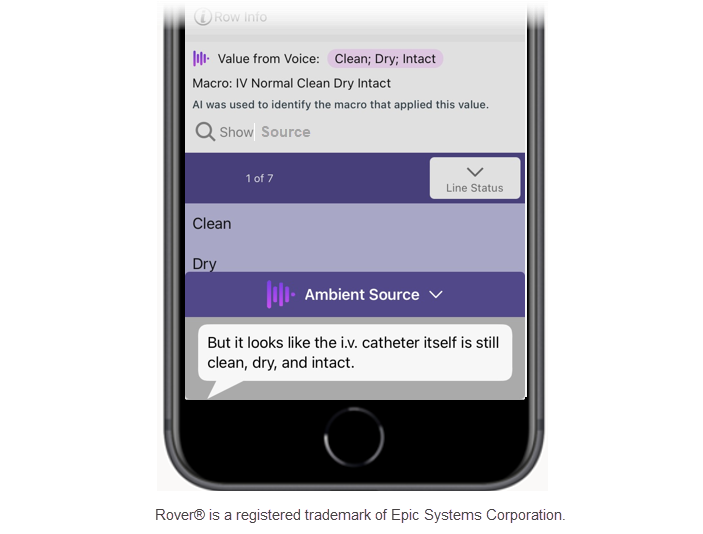
To view ambient source in Rover
From the flowsheet in Rover:
- Tap an AI-generated value.
- You might need to select an option or button to show the source.
Refer to the transcript as needed to view the full recounting of the recorded conversation.
Note
- You can see the ambient source only before filing; it disappears once you file the flowsheet.
- After filing, refer to the transcript to view the details of the conversation. The transcript remains available for the current shift and is visible only to you - not to other Dragon Copilot users.
- Only AI-generated values from Dragon Copilot display a source. Values entered by other methods aren't linked to Dragon Copilot and don't show a source.
File in the EHR
After you review all ambient values and make any necessary edits, file your assessment to the EHR. Review the transcript as needed. Use the Dragon Copilot app to generate nurse notes and search trusted sources to get answers to your questions. You can edit generated notes and copy them to your EHR.
Related topics
Dragon Copilot experience for nurses quick start guide
Dragon Copilot experience for nurses best practices and tips