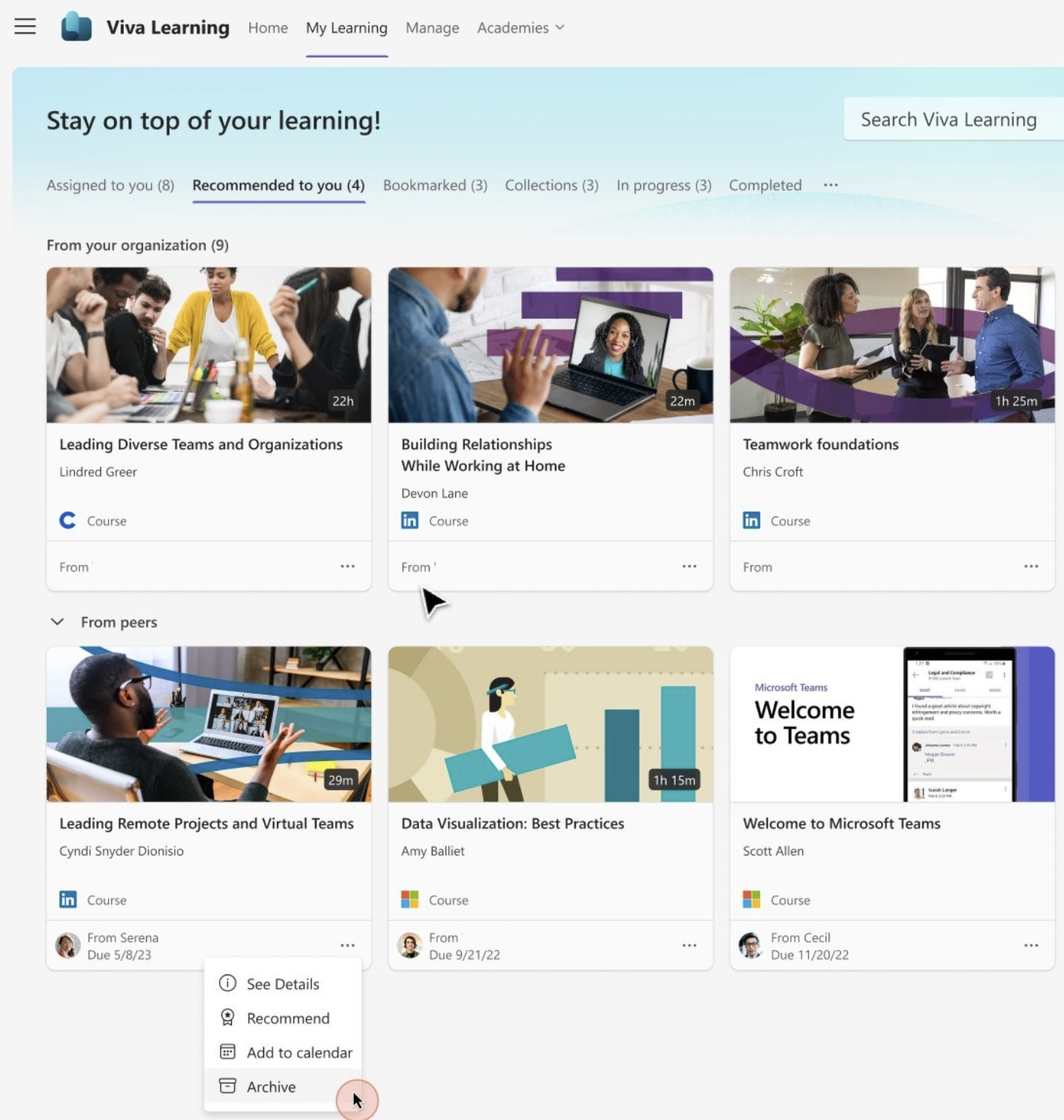
You can archive courses in Viva Learning that were recommended by your peers.
Try it!
1. Go to My Learning and then the Recommended to you tab. Select Archive.
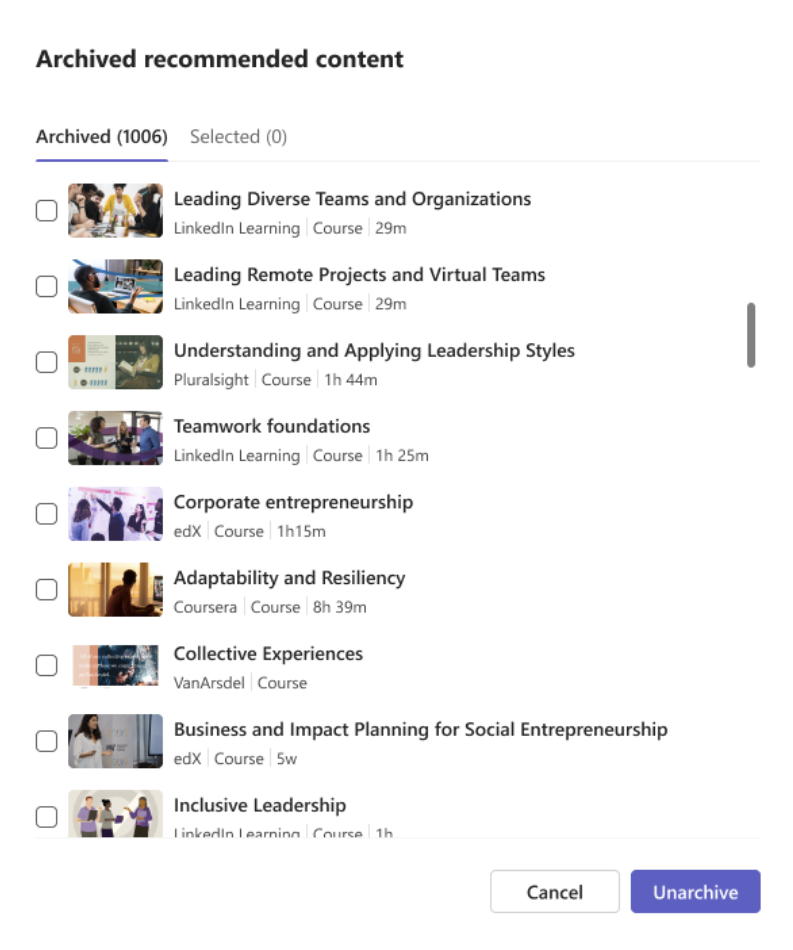
2. You can see the recommended courses that you've archived by selecting View archived in the footer banner. This view displays all of your archived courses.

Unarchive courses
1. Go to the course checkbox and select Unarchive.
2. You can now see your unarchived courses in the Recommended to you tab.