
Find, track and join events across your org in the Events app in Microsoft Teams. Instead of relying only on calendar invites or email links, the Events app brings everything together in one experience so you can easily explore upcoming events, register, and revisit past sessions.
Using the Discover tab, browse events you’re invited to, find new ones that are open for registration, and stay connected to events you care about, all from within Teams.
Open the Events app
To discover events, first open the Events app in Teams.
To open the Events app:
Select Apps on the left side of Teams.
Search for “Events”.
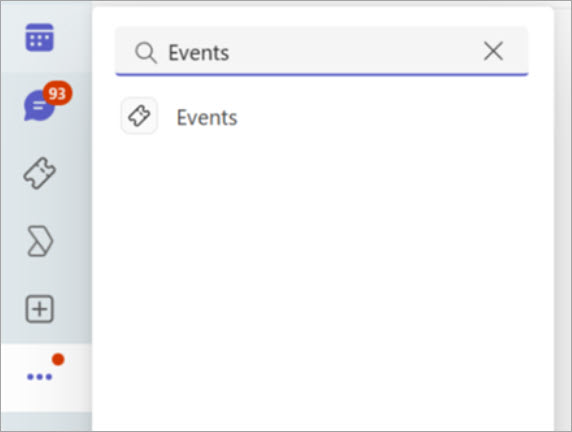
Select the Events app to open it.
Tip
If you use the Events app often, consider pinning it to your app bar for quicker access.
Discover events
In the Discover tab, explore new or promoted events. Find and register for events you’re eligible to attend.
To browse and find events relevant to you:
Select Events
 on the left side of Teams.
Select Discover.
Browse available events.
Select an event to view details such as description, timing, and registration options.
Choose Register or Join, if available.
View your events
In addition to discovering new events, track events you’ve registered for or been invited to. You can also rejoin events or view past event recordings, if available. This creates a single place to manage your event activity across Teams.
Tips for finding the right events
Check regularly: New events may appear in Discover as they’re published.
Look for promoted or featured events: Organizers might highlight important events to make them easier to find.
Combine with search: Use the Teams search bar to find specific events by name or keyword.
Related topics
Attend an event in Microsoft Teams
Recap and manage past events in the Microsoft Teams Events app