

可用性:您可以從 Microsoft Copilot for Work 或在 Microsoft Teams 中存取 Microsoft 代理程式。
注意
這項功能僅適用於 IT 系統管理員尚未在 管理員 Center 中停用代理程式的 Microsoft 365 租用戶。 使用者也必須擁有有效的 Microsoft Copilot 授權。
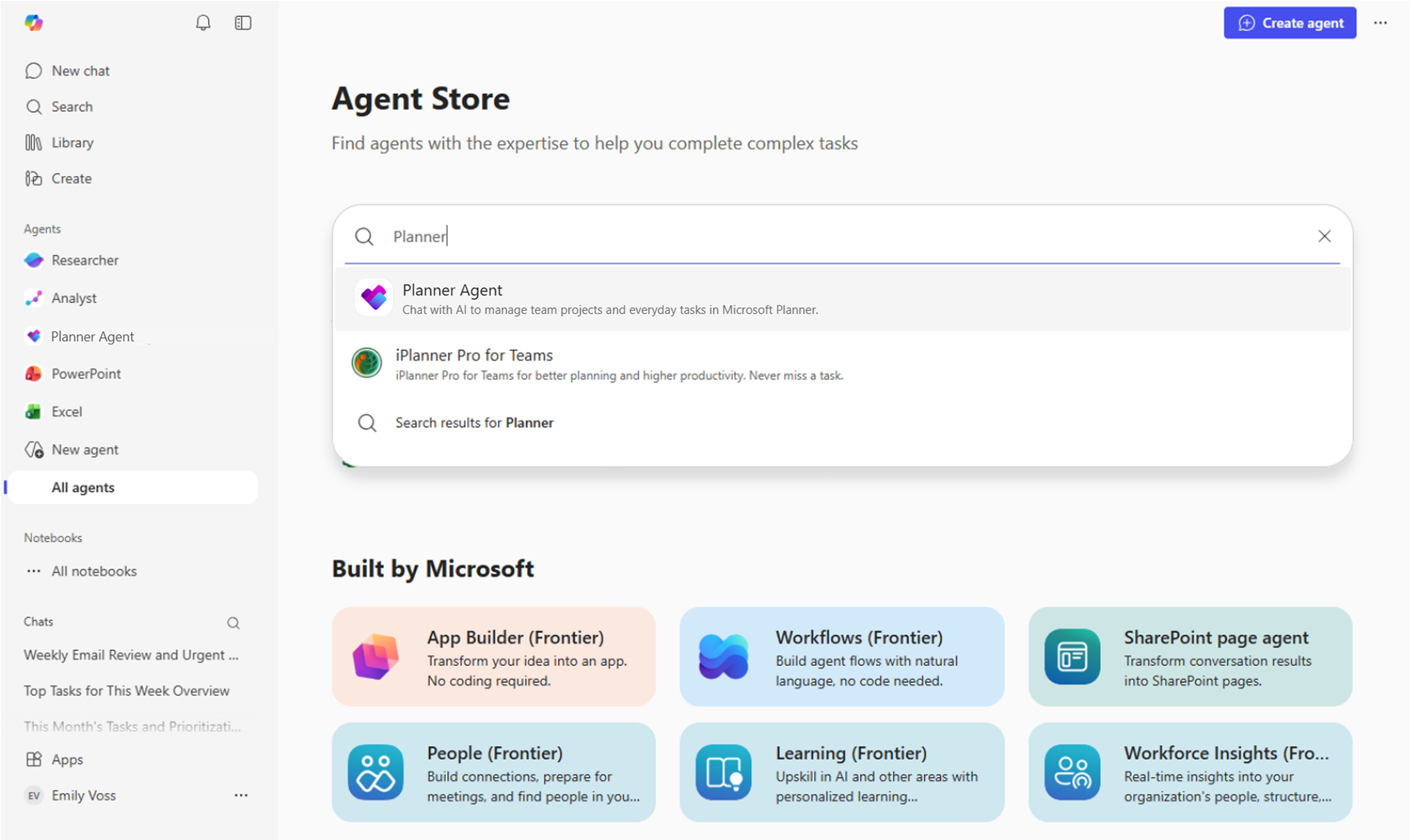
新增 Planner 代理程式
- 開啟 Microsoft Copilot for Work (網頁或 Teams) 。
- 在左側滑軌中,選取 所有代理程式 以造訪代理程式商店。
- 在 Agent Store 中搜尋 Planner。
- 從結果中選取 Planner 代理程式 。
- 選擇 [新增]。
- 出現提示時確認。
- 使用自然提示,例如「顯示我最近的高優先順序工作,以及本週要完成的工作」。
新增後,Planner 代理程式會直接顯示在 Copilot 側邊窗格中,並準備好協助您建立、更新及管理工作。
秘訣
您可以將 Planner 代理程式釘選到工具列,以便輕鬆存取。 您也可以透過代理程式直接@Planner從 Copilot Chat 存取 Planner 代理程式。