
Create, discover, and manage events from one place with the Events app in Microsoft Teams, a unified hub that simplifies event creation and maintains a consistent, flexible experience across all event types.
Teams events are designed for structured, large-scale experiences with controlled attendee participation and advanced production capabilities. These work well for:
Company-wide updates or executive announcements
Internal or external training sessions
Customer-facing product launches or demos
Webinars or town hall-style presentations
Live events requiring moderated Q&A and limited attendee interaction
Flexible event creation and management
Use a unified creation flow to configure event settings based on your goals instead of choosing between fixed event types. Customize audience interaction, registration, scale, and more.
In the Manage tab, organizers can select a published or drafted event to open its central page and manage settings, customization, and communications, as well as provide attendees with event information and resources.
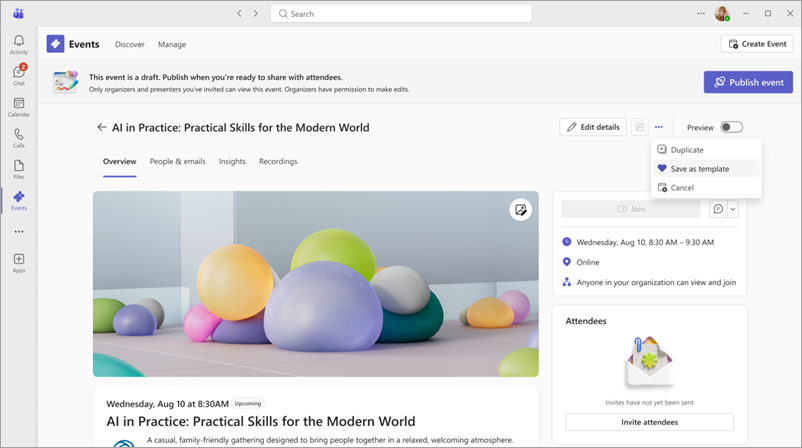
To learn more, see Create an event in the Microsoft Teams Events app.
Discover and follow events
In the Discover tab, attendees can find events they're registered for, explore new events, and access recordings of past events without relying only on calendar invites.
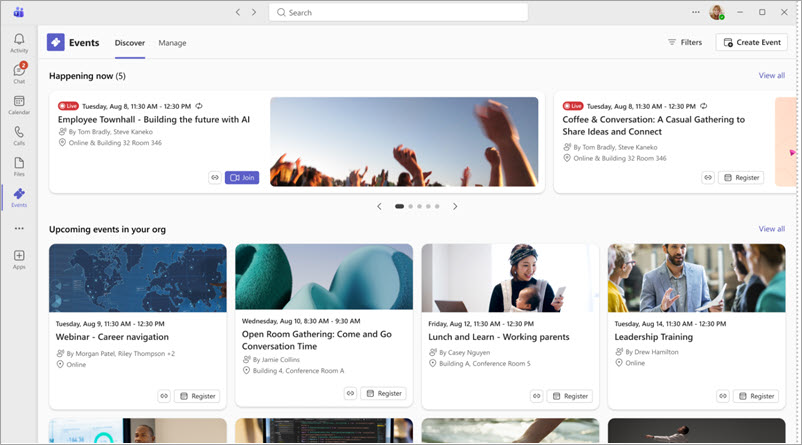
To learn more, see Discover events in the Microsoft Teams Events app.
Encourage engagement
Enhanced discoverability and built-in engagement capabilities help increase event attendance and interaction. Share and embed events in SharePoint sites to make them more visible and accessible to attendees.
To learn more, see Publicize an event in the Microsoft Teams Events app.
Add the Events app
To start using the Teams Events app:
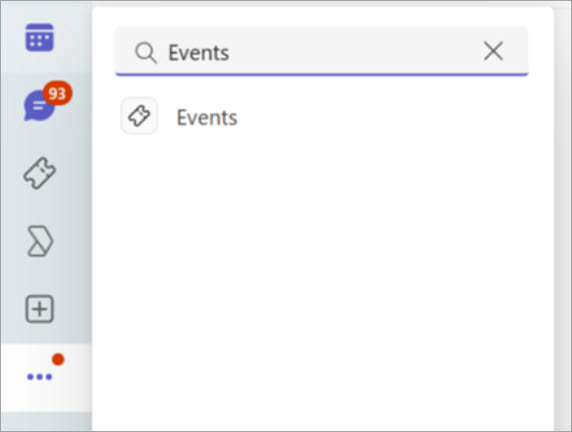
Select View more apps
 in Teams.
Search and select Events
 .
.
Select Open or Add.
Tip
Right-click Events
on your app bar and select Pin
 to keep it there for easy access.