
AI features in DAX Copilot help you improve your documentation, provide clinical insights, and generate personalized documentation for referrals and after visit summaries.
Steps to use AI capabilities in DAX Copilot for Epic
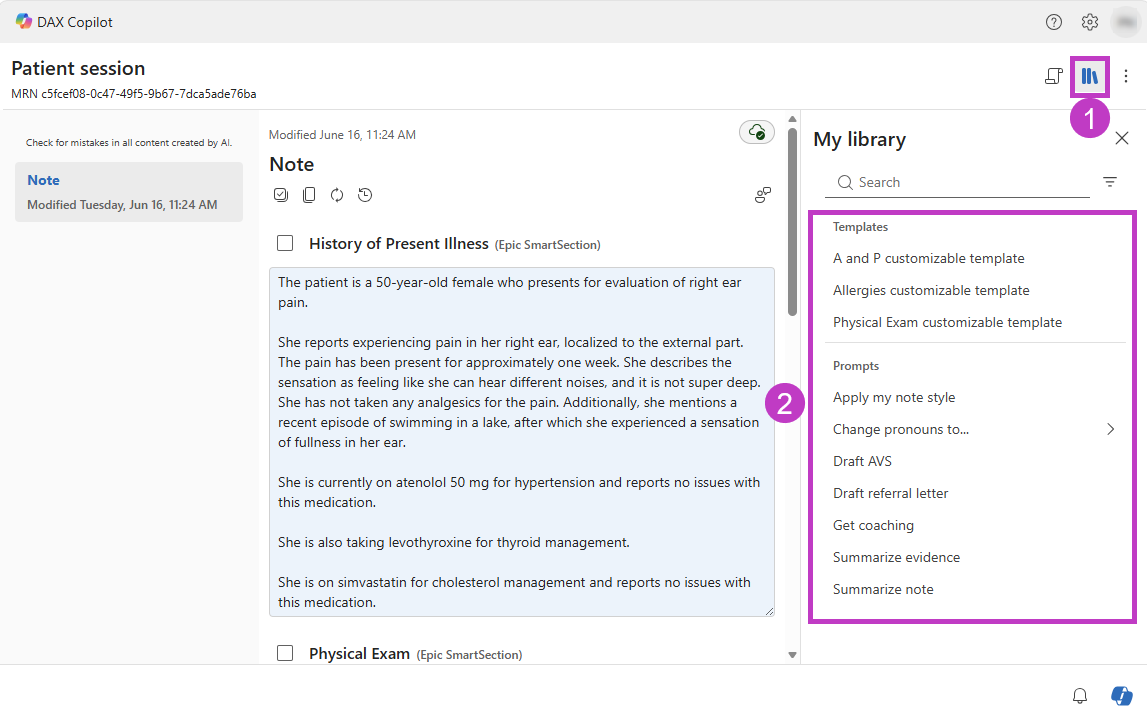
Launch AI features from the Library menu.
Select one of the options from the My Library panel, either a note section template or one of the built-in prompts.
Select Version history
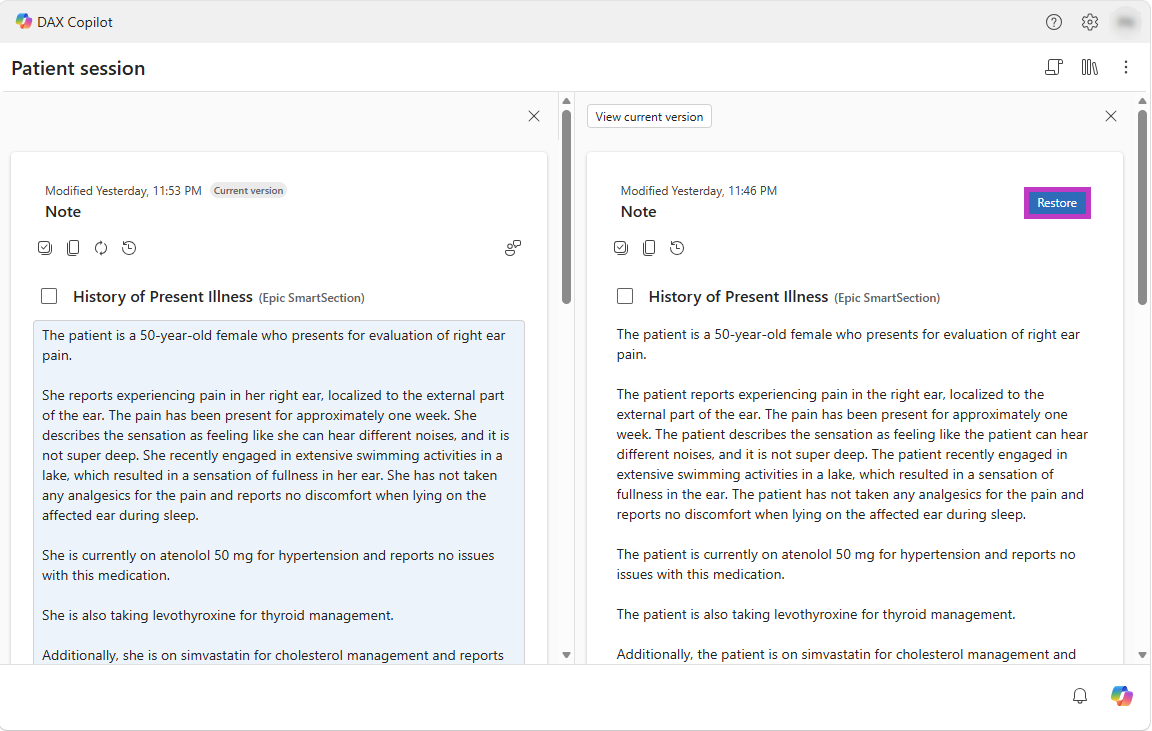
 to view AI-generated note versions and manual edits. You can review or compare previous versions by selecting Compare in split view.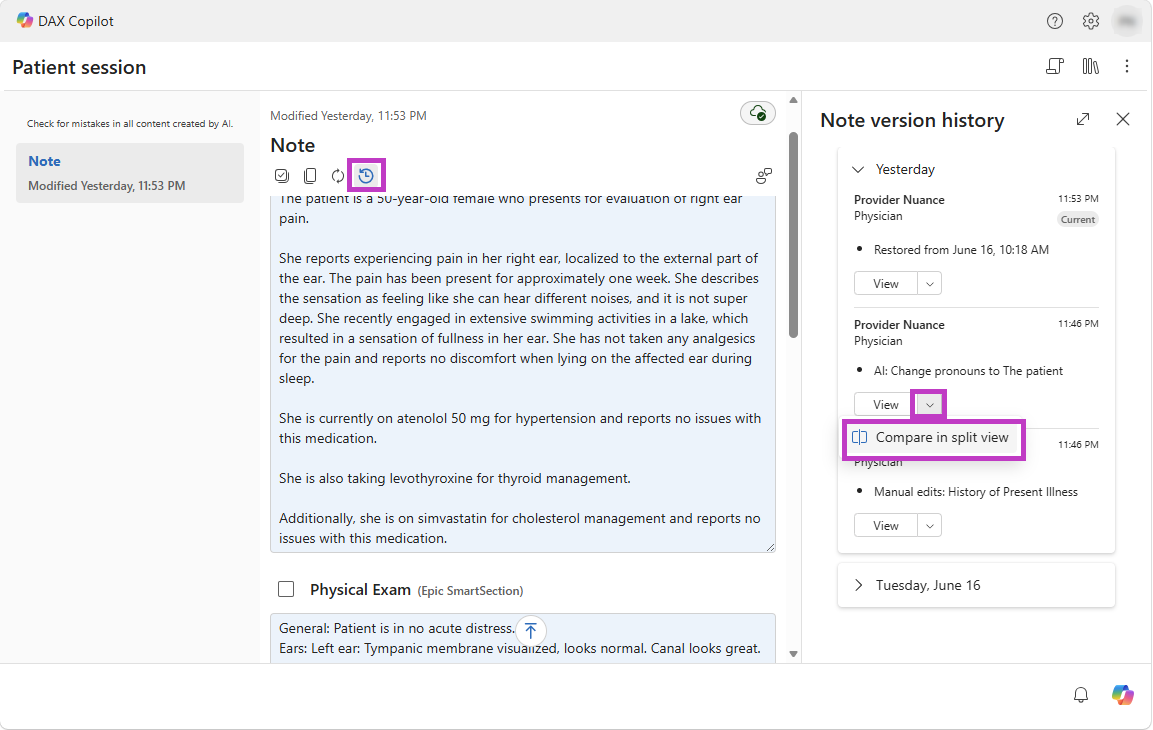
While in split view, select Restore to revert to the selected version of the note.
AI capabilities synopsis
The following table summarizes the AI capabilities available in DAX Copilot.
| AI capability | Description |
|---|---|
| Apply my style | Applies your saved style preferences on demand and generates a new note version. |
| Change pronouns | Updates pronouns in the note and generates a new note version. |
| Get coaching* | Provides personalized recording suggestions and identifies opportunities to improve note quality. |
| Summarize note* | Generates a concise summary of the encounter and key takeaways. Useful for quickly reviewing a patient encounter before finalizing the note. |
| Summarize evidence* | Creates a summary of relevant diagnostic evidence, including symptoms, labs, imaging results, and other encounter details. |
| Draft after visit summary* | Generates a patient-friendly summary that reinforces visit instructions and education. |
| Draft referral letter* | Generates a draft referral letter for a physician or clinic. |
Tip
*Complete all recordings and manual edits to the note before using these AI capabilities.