
Din röstbrevlåda är ett välbekant verktyg för att få ut mesta möjliga av samtalsupplevelsen i Teams. Om du vill komma åt din röstbrevlåda går du till samtalsknappen >Historik och väljer röstbrevlåda.
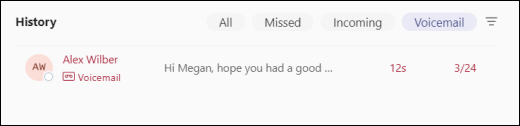
Ring upp någon genom att hovra över ett röstmeddelande och välja knappen Ring upp eller genom att välja Fler åtgärder och välja Knappen Ring upp .
När du väljer ett röstmeddelande kan du granska och komma åt information och annan information – allt på höger sida i Teams.
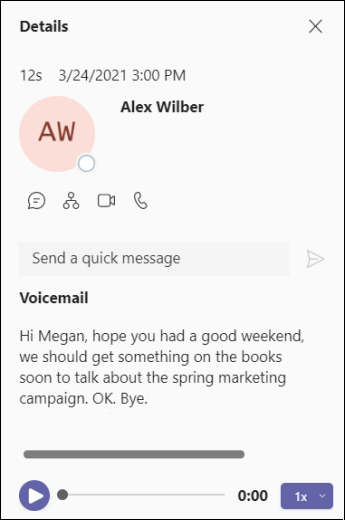
Härifrån kan du:
- Lyssna på dina röstmeddelanden med hjälp av uppspelningskontrollerna längst ned.
- Granska dina röstbrevlådesammanfattningar och avskrifter (om tillgängligt).
- Ring upp någon med hjälp av samtalskontrollerna under kontaktinformationen högst upp.
- Anpassa inställningarna för röstbrevlådan (till exempel spela in en hälsning och ange regler för samtalssvar).