
Ofrezca a los asistentes una experiencia personalizada y a medida con tematización de la asamblea. Agregue imágenes de la empresa, banners y mucho más.
Nota
Si el evento ya está publicado, los cambios en el tematización aparecerán en futuros correos electrónicos.
Personalizar una asamblea
Para personalizar una asamblea:
- Seleccione Calendar
 en Teams.
 - Abra una asamblea existente o cree una nueva.
- Seleccione Tematización.
Agregar una imagen de banner
Las imágenes de banner se mostrarán en todos los correos electrónicos de la asamblea antes del evento. Mantenga el banner predeterminado de Teams o agregue una imagen personalizada.
Para agregar una imagen de banner personalizada:
Seleccione Calendar
en Teams.Abra una asamblea existente o cree una nueva.
Seleccione Imagen de pancarta con> temática.
Seleccione Cambiar
 >de imagen Elija otro
Abra la imagen que quiera usar.
Haga zoom y coloque la imagen en la herramienta de recorte. El banner se mostrará como se muestra.

Selecciona Guardar.
Recomendación
Para imágenes de banner personalizadas, use una imagen de al menos 920x230px.
Agregar un logotipo
Seleccione Calendar
en Teams.Abra una asamblea existente o cree una nueva.
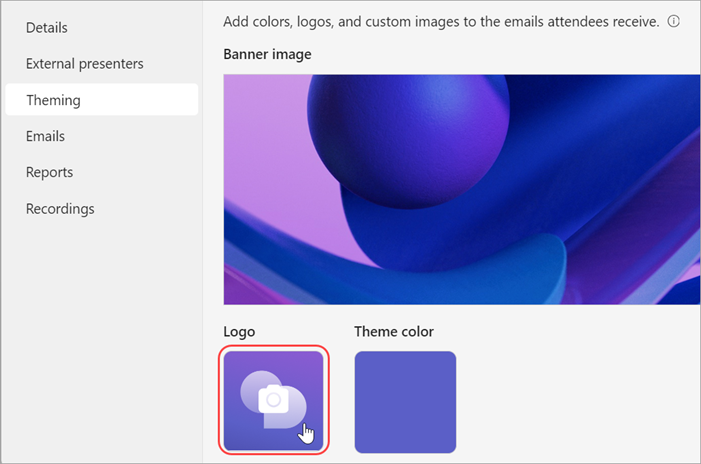
Seleccione Logotipo de> temática.
Selecciona Cámara de logotipo
.
Seleccione Elegir otro
Abra la imagen que quiera usar.
Haga zoom y coloque la imagen en la herramienta de recorte. El logotipo aparecerá como se muestra.
Selecciona Guardar.
Recomendación
Para imágenes de logotipo personalizadas, use una imagen de al menos 280x280px.
Cambiar el color del tema
Mantenga el color del tema predeterminado de Teams o elija uno diferente para personalizar los botones, iconos y vínculos de correo electrónico que se envían a los asistentes.
Para cambiar el color del tema:
Seleccione Calendar
en Teams.Abra una asamblea existente o cree una nueva.
Seleccione Tema tema>
 .
.
Elija un color y seleccione Guardar.
