
You can access the Help menu at the top of the Explorer screen, Report Editor screen, and AutoText Manager. It includes the following resources.
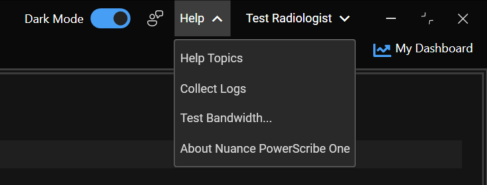
Help Topics
Provides a link to the PowerScribe One Help Topics which is embedded in the application for ease of use with search capabilities. It provides step-by-step instructions, FAQs, contextual feature help, and latest enhancements.
Note
Selecting the ‘?’ icon (when available) within a feature opens the Help Topics for that specific area of the application.
Collect Logs
Enables you to manually push log collection to your PowerScribe server for use by administrators and Microsoft for troubleshooting.
Test Bandwidth
Tests the internet connectivity from your workstation.
About Nuance PowerScribe One
Displays your facility's PowerScribe server and version information.