
Open Advanced Search when:
- A basic search returns too many results
- You need to filter by specific attributes such as modality, provider, or date range
- You want to include or exclude specific terms without using complex syntax
How to open Advanced Search
From the mPower home page, locate the Search box.
(Optional) Enter one or more keywords.
Select Advanced Search below the Search box.
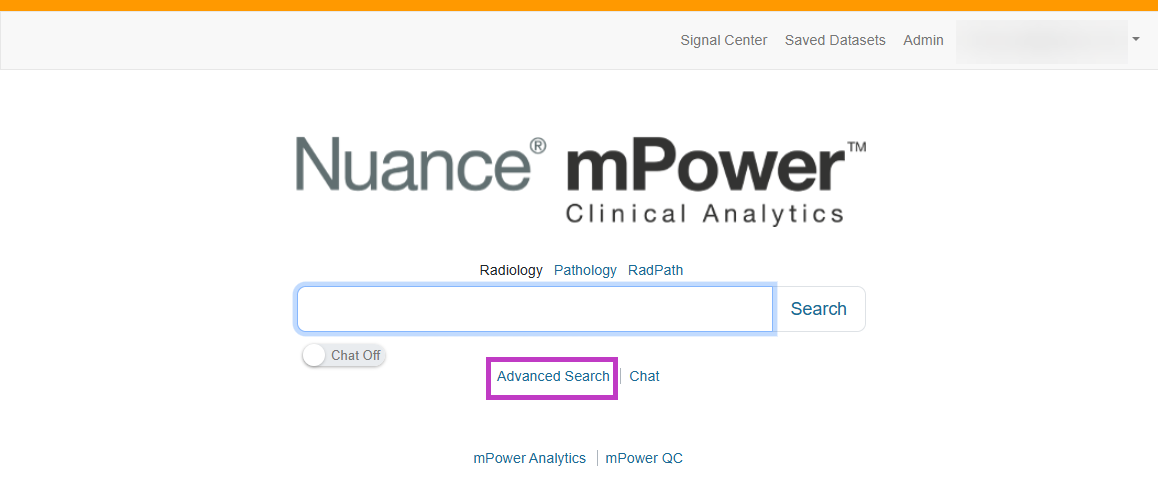
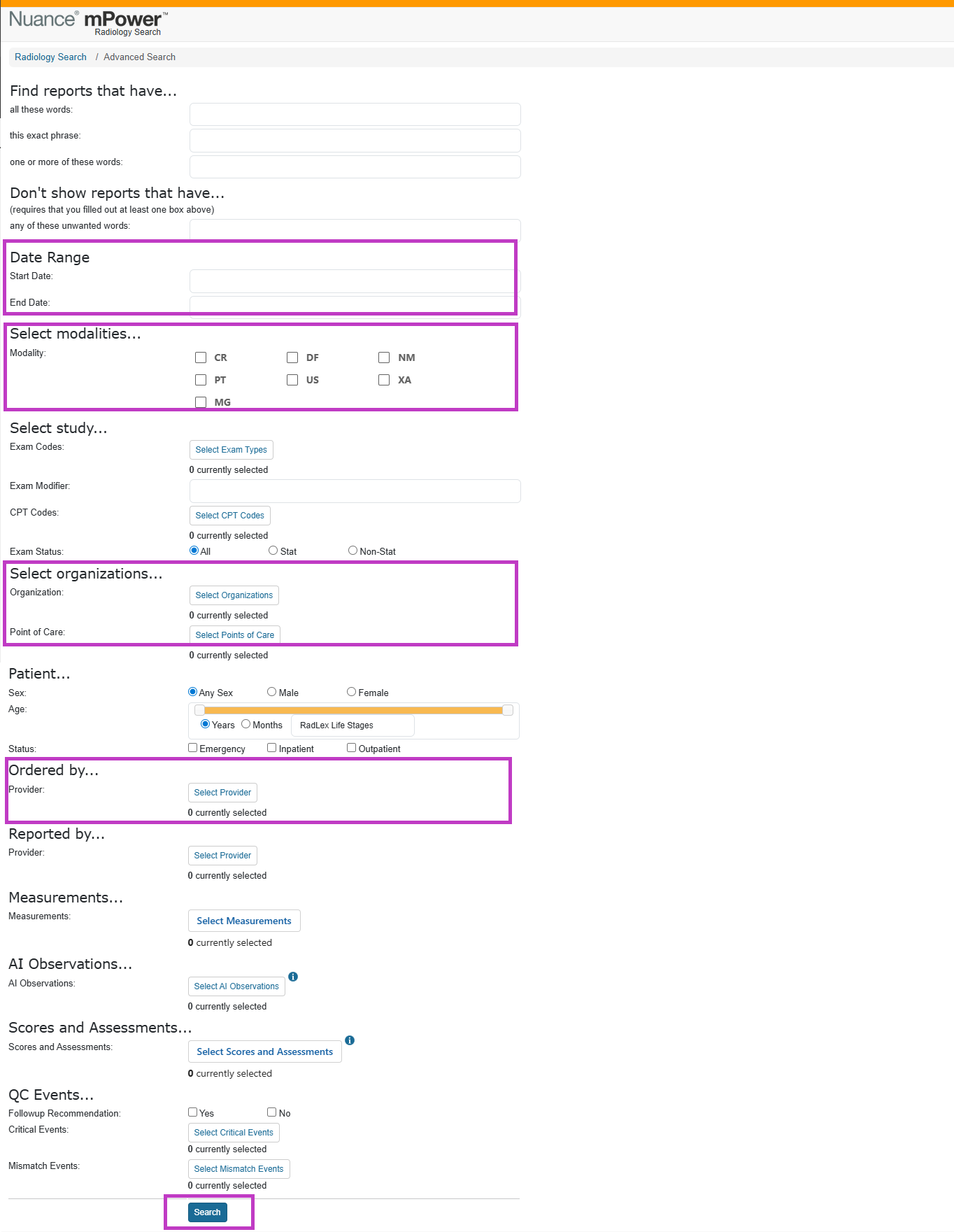
4. Advanced Search opens on a new page where you can apply detailed filters before running the search.
Tip
- You do not need to enter keywords to open Advanced Search
- Start with broad criteria, then refine filters as needed
- Filters are applied only after you select Search on the Advanced Search page
Next up: Using measurements
Learn how to search for reports using clinical measurements to find cases with specific sizes or values. Let's go