
Use Signal Notifications to automatically receive alerts when new reports match your saved search criteria. Signals help you stay informed without rerunning searches manually.
Set up signal notifications when you need to:
- Monitor new reports that match specific criteria
- Track follow-up findings or emerging patterns over time
- Stay informed about updates without repeatedly running searches
Before you set up a signal
Before creating a signal notification:
- Run a basic, advanced, or sequential search
- Refine results so the search criteria are specific and relevant
Signals are based on saved searches, so it's important to confirm the results first.
Create a signal notification
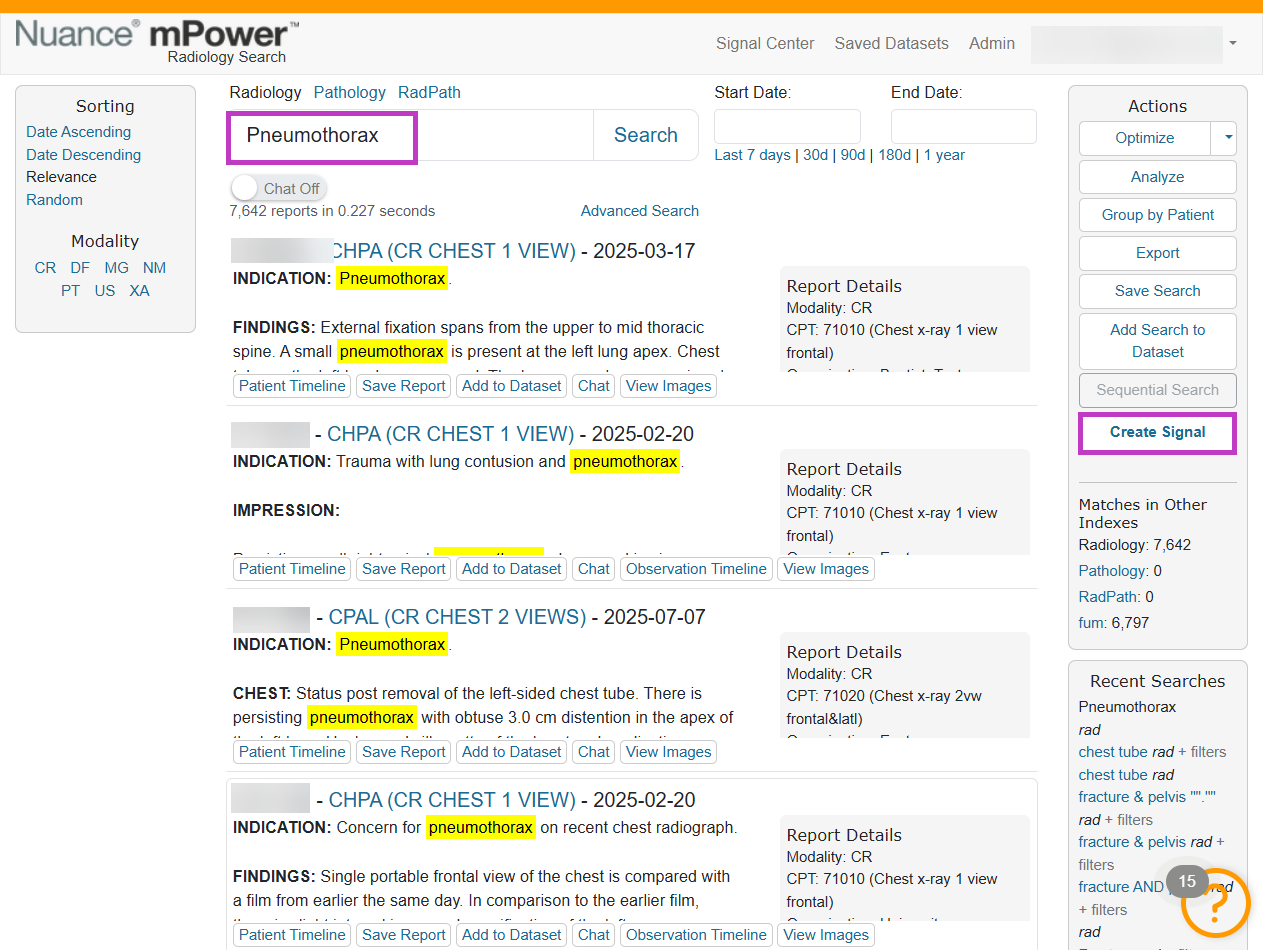
- Run and refine a search.
- Select Save Search.
- Choose Create Signal (or enable signal notifications).
- Enter a name for the signal.
- Select how you want to receive notifications.
- Save the signal.
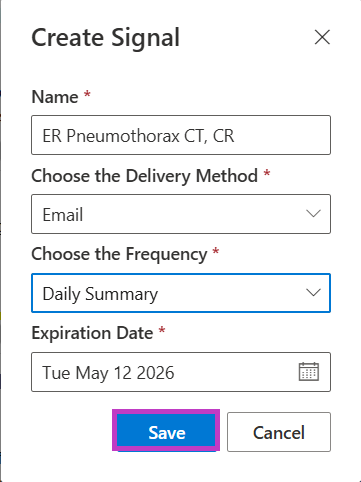
The signal monitors new reports that match the saved search criteria.
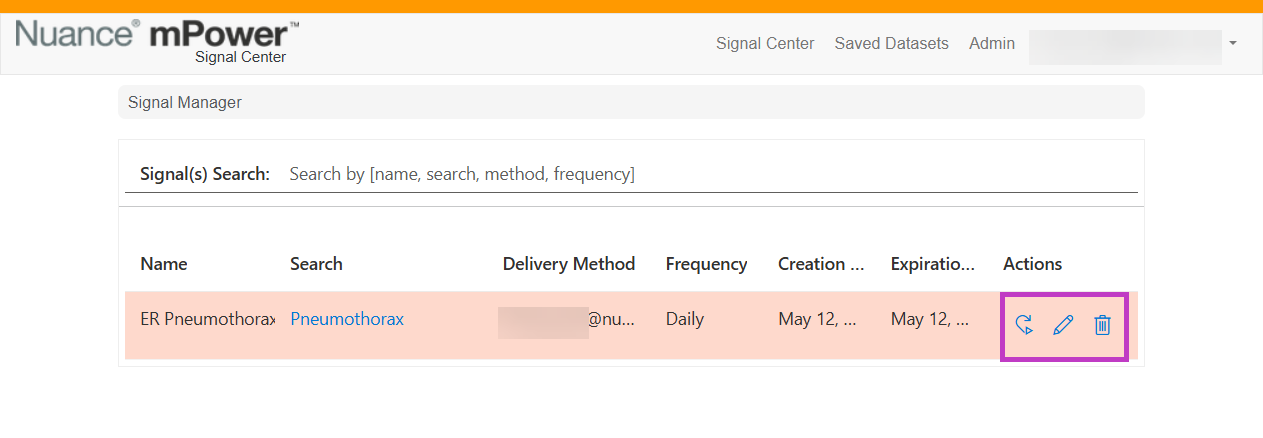
Manage signal notifications
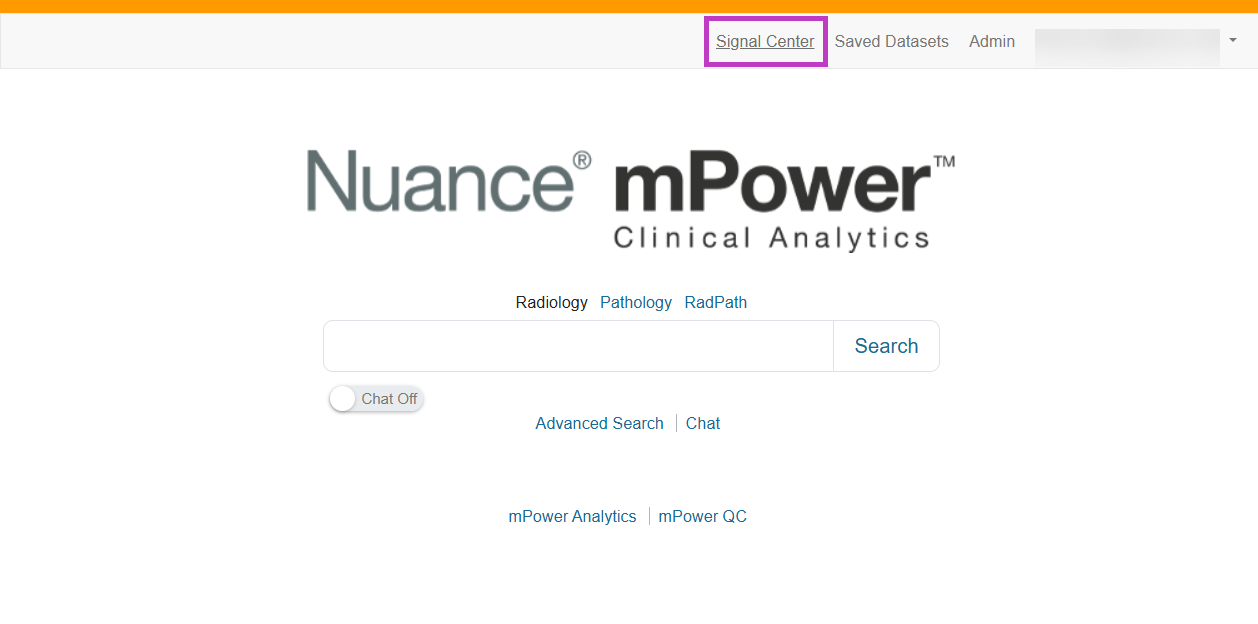
- Select Signal Center from the mPower home page.
- Edit, pause, or delete signal notifications as needed.
Tip
- Use highly refined searches to avoid excessive notifications.
- Give signals clear, descriptive names.
- Review signals periodically to ensure they remain relevant.
- You will only receive a notification if there has been a new report matching the Signal criteria.
Next up: Analyze data using mPower Analytics
Use mPower Analytics to explore clinical data, track trends, and measure performance with dashboards and custom graphs. Let's go