
The Follow‑up Recommendation Dashboard in mPower QC provides a central location to review recommendations that require follow‑up after a quality check (QC). It helps you to track status, understand ownership, and ensure follow‑up actions are completed in a timely manner.
What the Follow‑up Recommendations Dashboard shows
The dashboard displays follow‑up recommendations detected using NLU (Natural Language Understanding) algorithms. Depending on your data and permissions, it includes:
- Follow‑up recommendations identified in reports
- Reviewed and unreviewed follow‑up events
- Completed versus overdue follow‑ups
- Reports containing one or more follow‑up recommendations
These views help you quickly prioritise follow‑ups that may need review or action.
Open the Follow‑up Recommendations Dashboard
To access the dashboard:
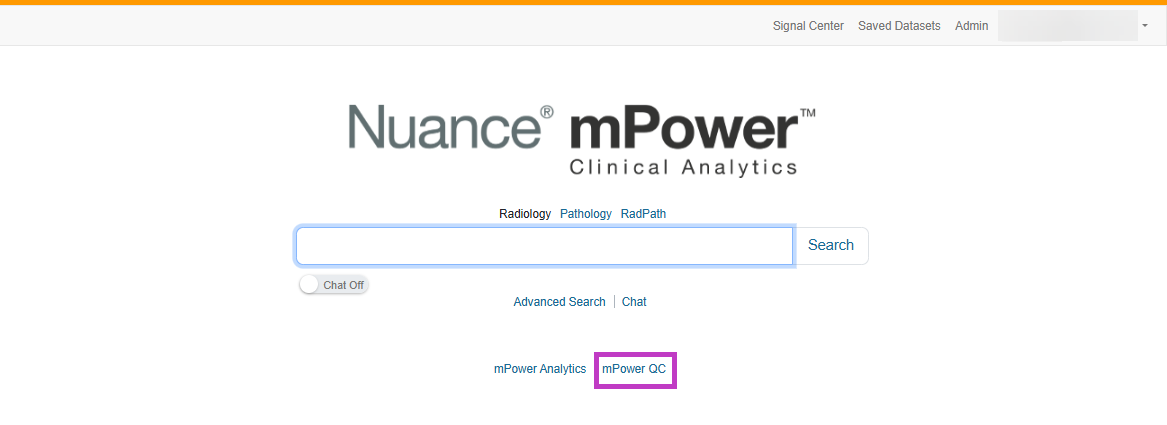
Sign in to mPower.
Select mPower QC from the main page.
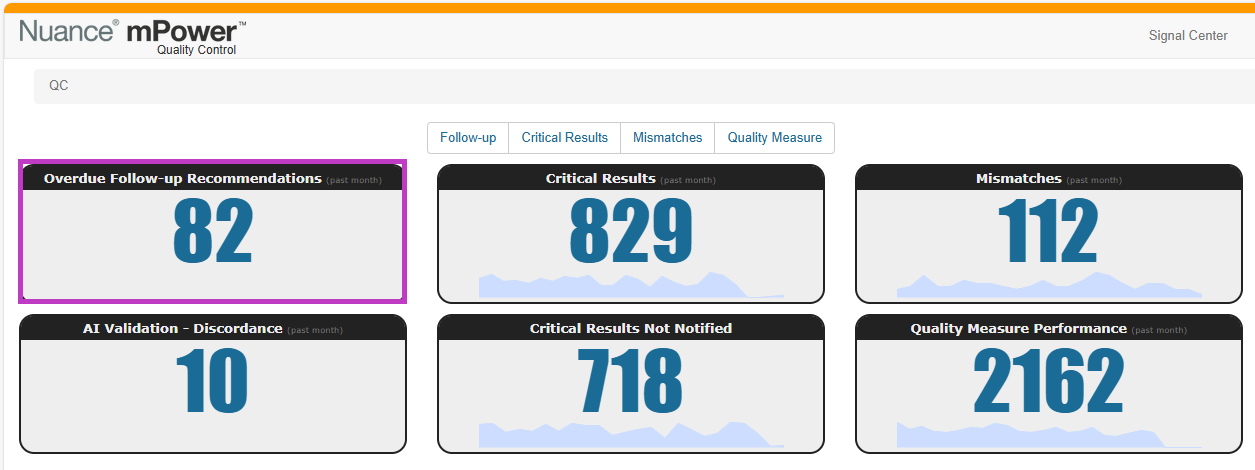
The dashboard loads with summary charts and counts related to follow‑up activity.
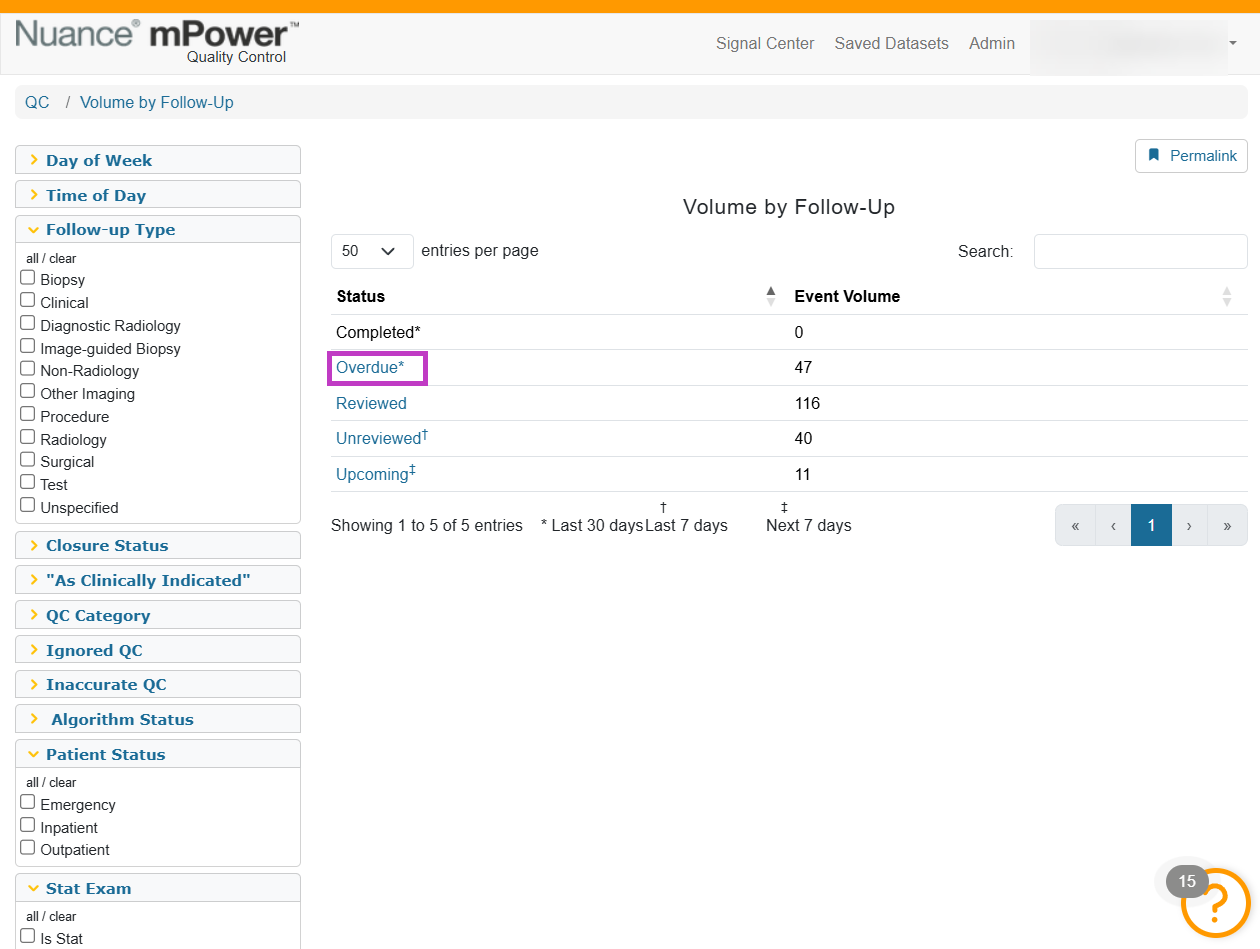
Select the link in the status column ti view a list of the reports associated with the status.
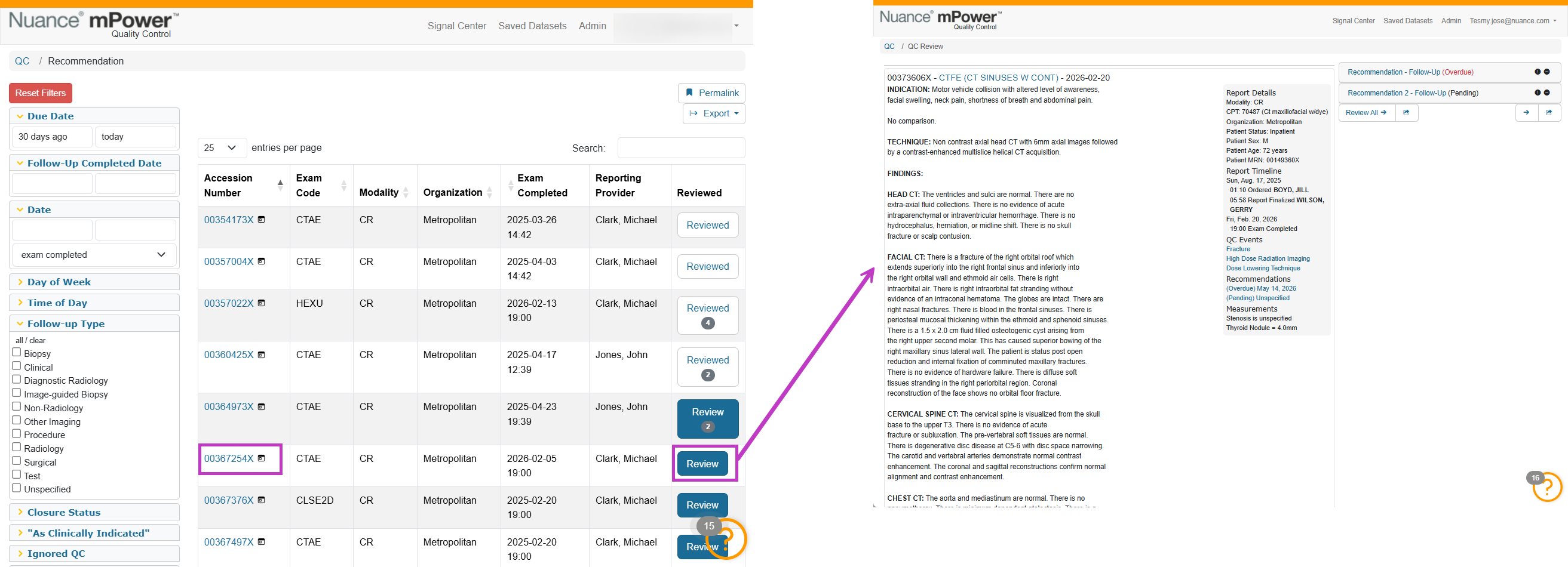
Select an accession number to view the report.
Select Review to complete the review.
Next up: Review the Critical Results Dashboard in mPower
Monitor critical results and review reports that require notification to support patient safety workflows.Let's go.