
If you organize a meeting, you can choose to leave individually or end the meeting for all participants.
To end a meeting for all participants:
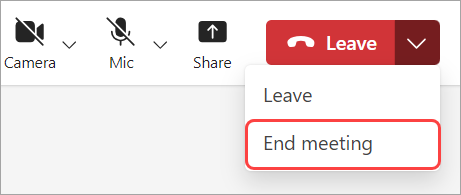
In your meeting controls, select the dropdown menu next to Leave.
Select End meeting.
Select End.
Related topics
Use meeting controls in Microsoft Teams
Tips for setting up large meetings and events in Microsoft Teams