
Enable support access in PowerShare to allow support staff to securely access your account and help resolve issues when needed.
What is support access?
Support access allows PowerShare support staff to temporarily access your facility account.
You control when access is granted.
You decide how long access remains active.
You can remove access at any time.
Granting access enables support staff to assist with troubleshooting and account support.
Before you begin
Make sure you have administrator access in PowerShare.
Administrators have access to this feature by default.
Facility administrators can also allow selected users to manage support access.
Enable support access
Follow these steps to grant support access.
Select the Admin tab.
Select General Preferences.
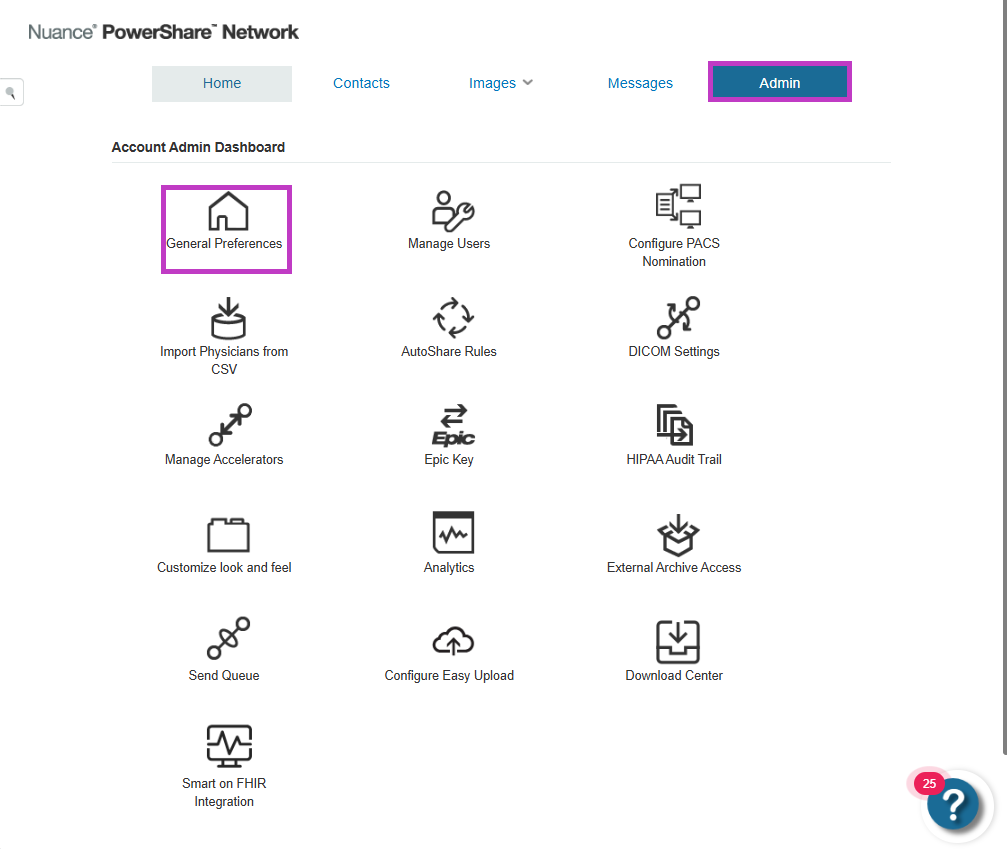
Check the box for Enable Support Access.
Set the number of days access should remain active.
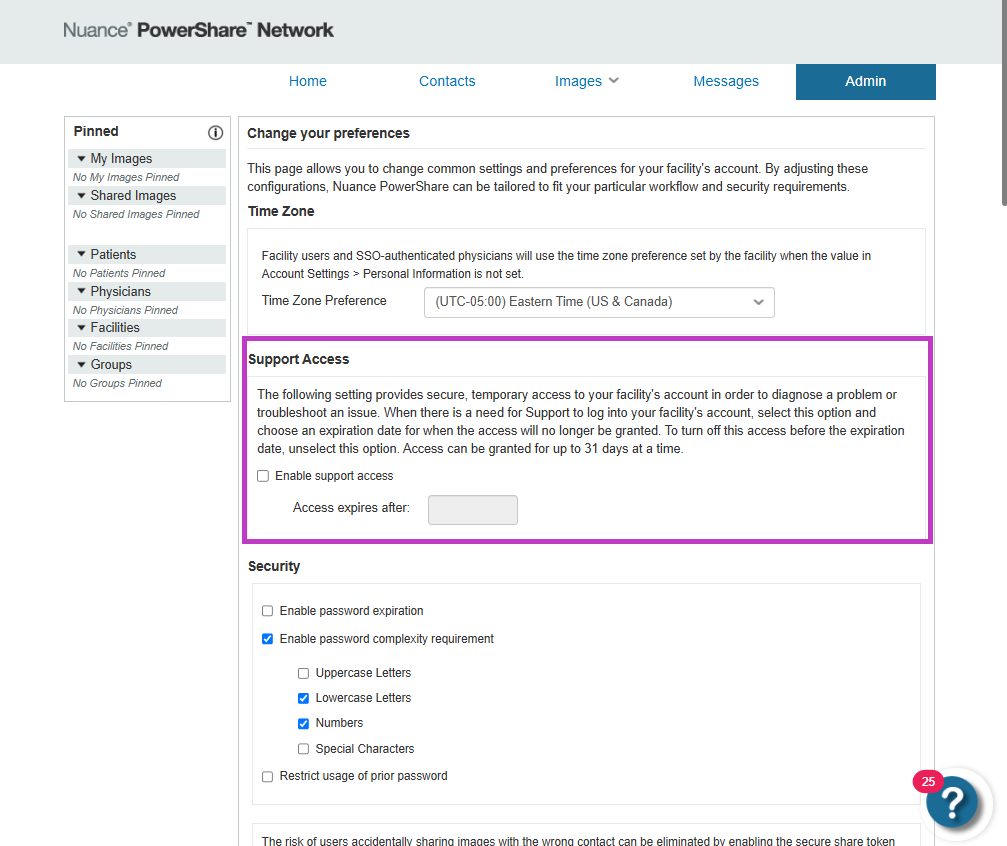
Select Save. Support access can be granted for up to 31 days.
Manage support access
You can update access settings at any time:
Extend access if more time is needed.
Shorten the access duration.
Disable access when support is no longer required.
You can extend, shorten, or remove access at any time.
When to enable support access
Enable support access when:
You need help troubleshooting problems.
You're working with PowerShare support on a request.
Your account requires additional investigation.
Tip
- Enable support access only when needed.
- Set the minimum required access duration.
- Disable access after your problem is resolved.
Next up: Understand Accelerator Gateway in PowerShare Image Sharing
Learn how Accelerator Gateway supports secure image transfer and connectivity between systems. Let's go