
Fulfill an image request in PowerShare when another facility or contact asks you to send imaging studies. You can respond to requests directly from email or from the Requests queue.
Fulfill a request from an email
When a contact requests images, you receive an email notification with a link to the request.
Open the request
Open the request email.
Select the link in the message to open PowerShare.
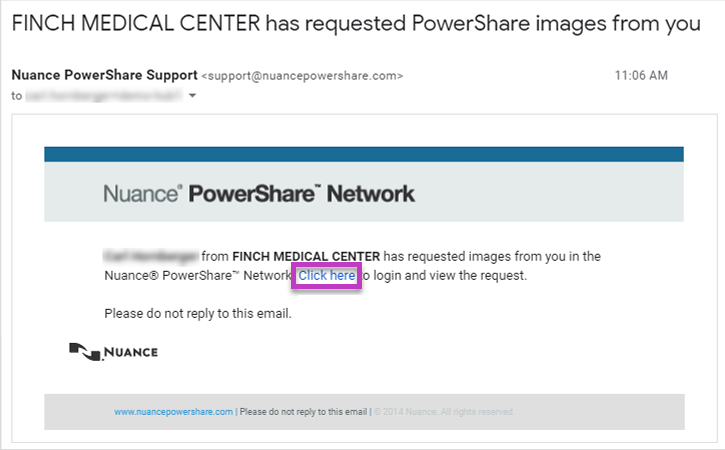
Sign in to your PowerShare account.
Review request details
Review the request information, such as:
Urgency level
Patient or study details
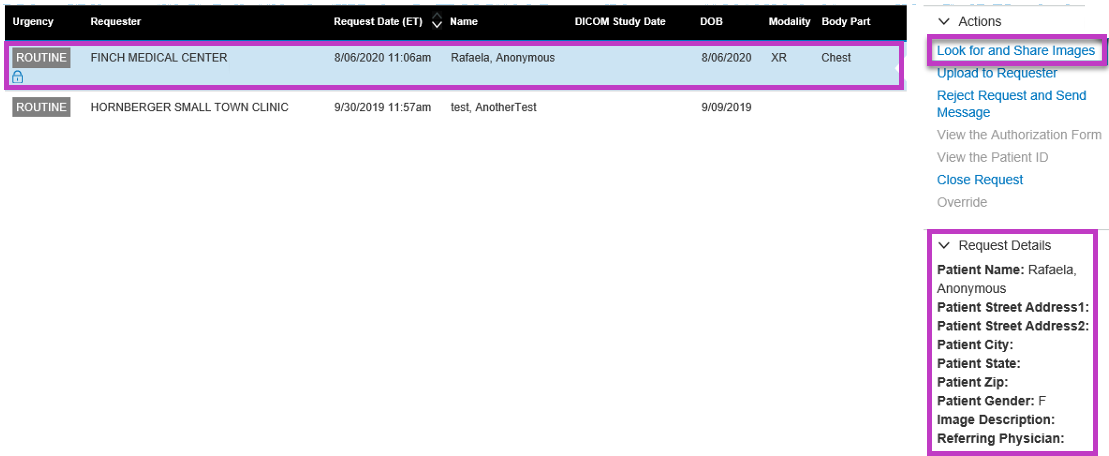
Select the request to view more details.
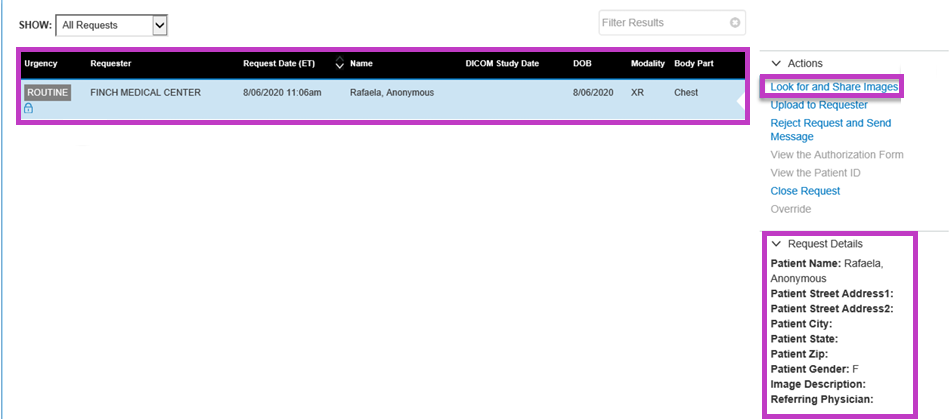
Find and share images
Select Look for and Share Images.
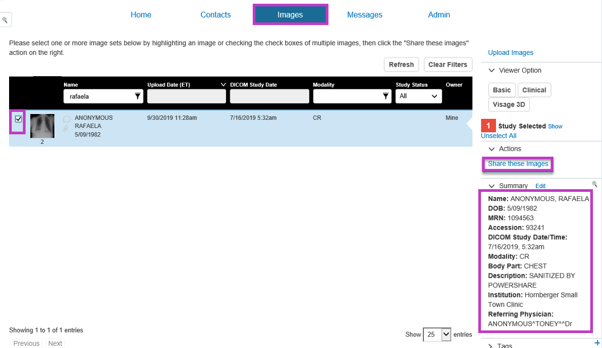
Use search filters on the Images tab to locate the requested study.
Select the checkbox next to the study you want to send.
Confirm the study matches the request.
Select Share these Images.
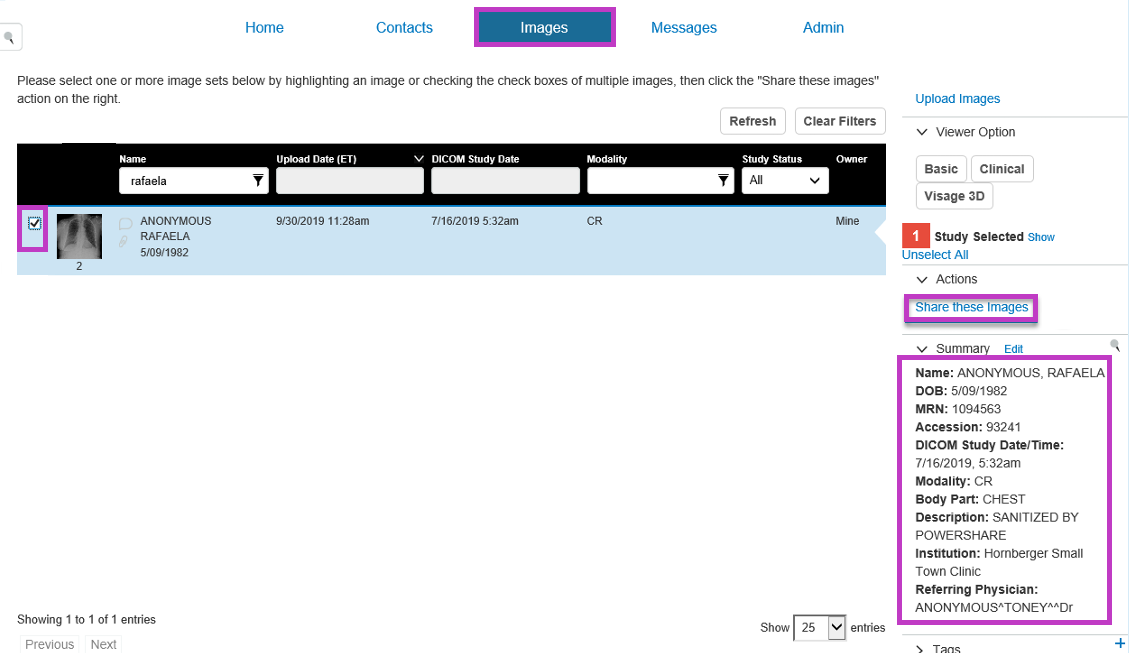
Complete the request
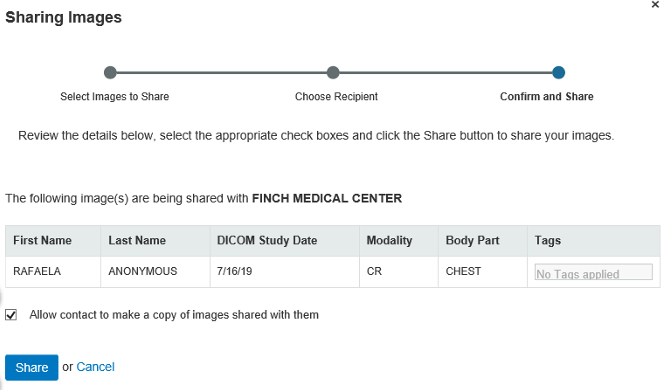
Review the sharing details.
Confirm permissions, such as allowing the requester to copy the images.
Complete the sharing process.
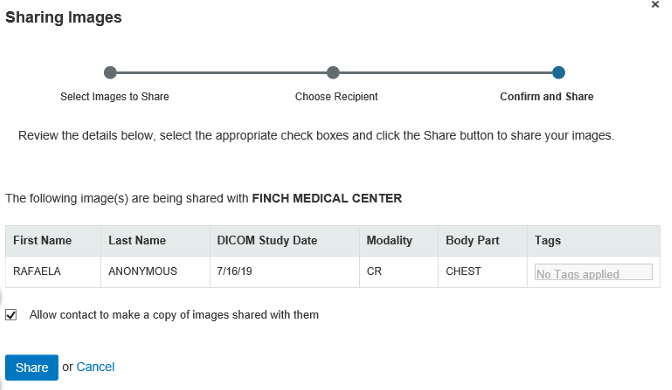
Fulfil a request from the Requests queue
You can also fulfil requests directly from within PowerShare.
Open the Requests queue
Sign in to PowerShare.
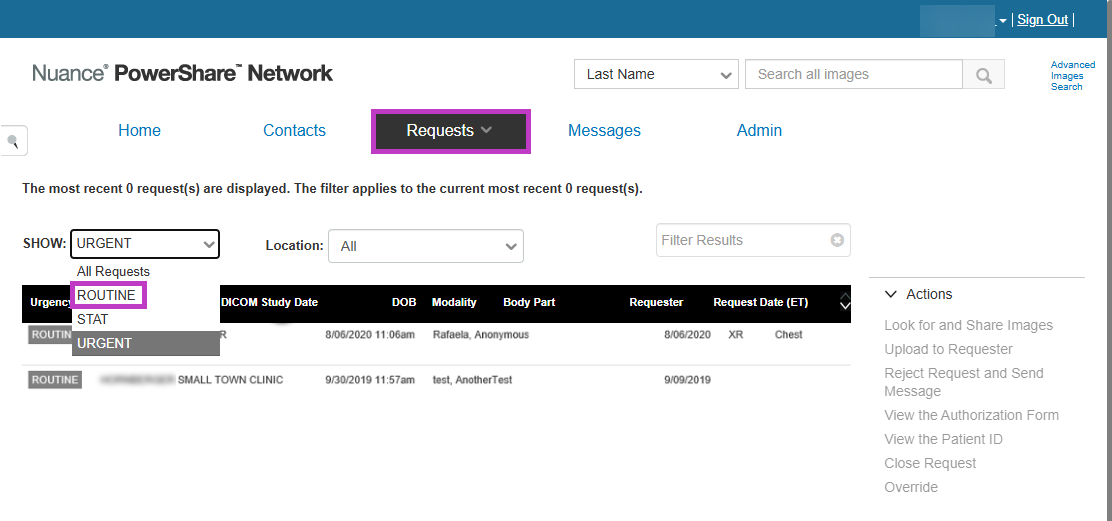
Go to the Requests queue. The Requests queue displays all incoming image requests from your contacts.
Review and select a request
Locate the request you want to fulfil.
Select the request row to view details. You can filter or sort requests by urgency or other criteria.
Send the requested images
Select Look for and Share Images.
Find the study using search tools.
Select the study and confirm the details.
Share the images with the requester.
Other request actions
Depending on your access, you may also be able to:
Upload images directly to the requester.
Reject a request and send a message.
View authorization or request details.
Tip
- Review request details carefully before sharing images.
- Confirm patient and study information match the request.
- Use filters to quickly locate the correct study.
- Check urgency levels (ROUTINE, STAT, URGENT) to prioritize requests.
Next up: Inbound workflows in PowerShare Image Sharing
Receive shared images, edit studies, and push them to PACS to ensure images are ready for clinical workflows.Let's go