
Step by Step Instructions
Use your patient account to share radiology images from your PowerShare account:
Open the Images tab.
Select the image(s) you want to share.
Select Share these images from the right-hand menu.
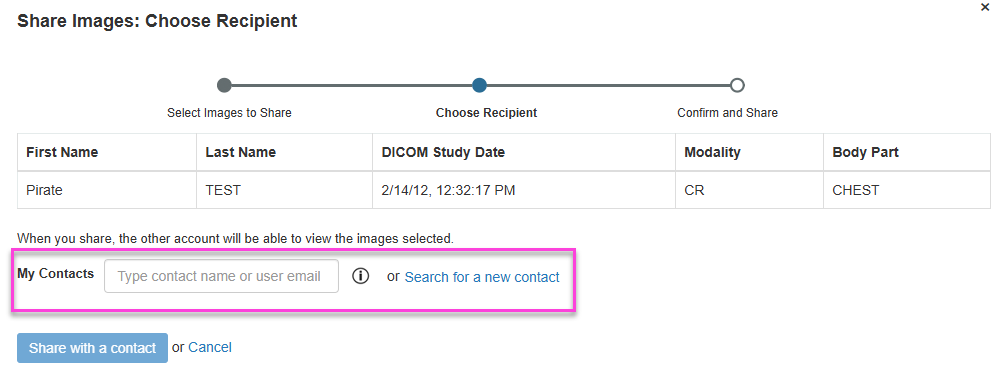
Choose an existing contact or search for a new one
- New contacts must accept the invitation before sharing can continue.
Select Share and Check the box to electronically sign the HIPAA Release.
A confirmation message indicates the images were shared successfully.

Next up: Upload images in PowerShare
Learn to upload imaging studies from your device, CD, or drive to PowerShare. Let's go