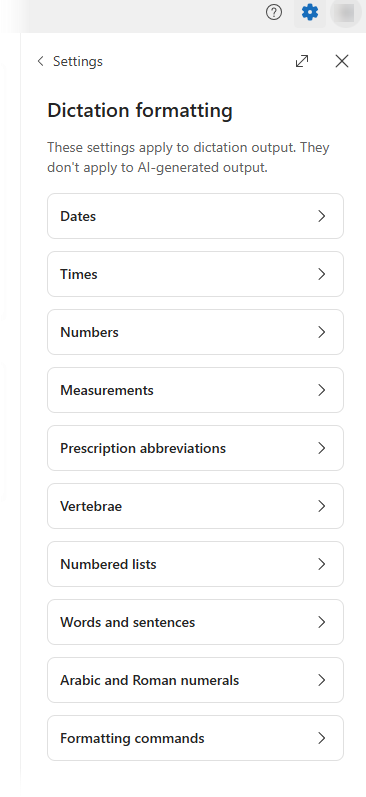
Dictation formatting controls how your spoken words are formatted when you dictate text in Dragon Copilot. These settings determine how items like dates, times, numbers, measurements, lists, and abbreviations appear in your dictated text. They help ensure your documentation matches your personal and organizational preferences.
Review and adjust your settings
You can review and adjust dictation formatting settings at any time from Settings  > Dictation formatting. Changes take effect immediately and apply to future dictation, so you can maintain consistent, predictable formatting across your documentation.
What you can customize
With dictation formatting, you can configure how Dragon Copilot handles common dictation elements, including:
- Dates and times
- Numbers and measurements
- Prescription abbreviations
- Numbered lists
- Words, sentences, and numeral formats, such as Arabic or Roman numerals
- Spoken formatting commands
These preferences help ensure that dictated text appears the way you expect, without requiring manual cleanup after dictation.
Note
Dictation formatting affects how dictated text is formatted. It doesn't control the structure or style of AI‑generated notes or documents. Manage those settings separately through note styles and document options.
Use Dragon Medical One alongside Dragon Copilot
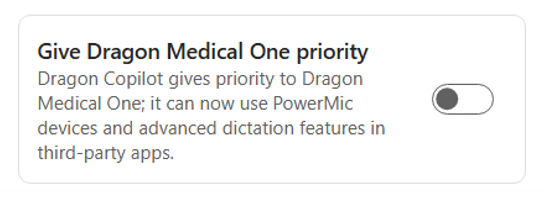
If you work in a specialty or have a workflow in which you want to use both Dragon Medical One and Dragon Copilot at the same time and you experience conflicts doing so, your admin can enable Priority mode in Dragon admin center. Once this mode is enabled, you can switch on priority mode in Settings
> General. This action disables PowerMic buttons, global shortcuts, and dictation-at-the-cursor in Dragon Copilot so you can use Dragon Medical One for dictation without any conflicts.