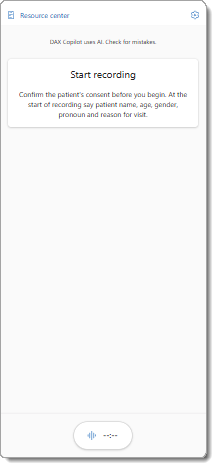
You can use Dragon Copilot as an embedded feature within several partner EHR systems. Those EHR systems might also integrate Dragon Copilot into their mobile EHR applications for iOS and Android devices.
Note
Consult with your EHR team for access to Dragon Copilot in your EHR mobile app.
What can you do with Dragon Copilot in mobile EHR apps?
In supported EHR mobile applications, you can launch Dragon Copilot and perform many of the same actions available to you in the desktop, web, and embedded applications.
Dragon Copilot in mobile EHR apps supports ambient recording, and access to features such as the Note, Transcript  , Settings
  , and Resources
  .
.
- Review and modify the clinical summaries that Dragon Copilot generated from your ambient recordings and apply note section templates.
- Update your note style preferences.
- Modify your settings, and more.
Note
- The use of Dragon Copilot chat isn't supported in Epic mobile EHR apps at this time.
- You can only create ambient recordings with Dragon Copilot in Epic mobile apps for iOS - unless your Epic administrator enables the "enhanced web view" setting.
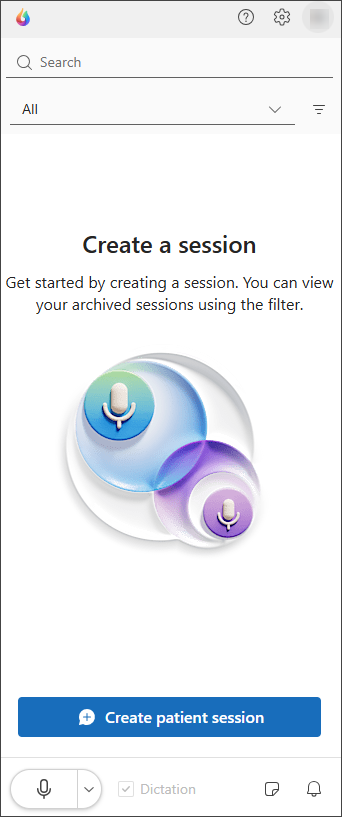
Important
- Saving: The note in Dragon Copilot automatically saves any edits you make within a few seconds. The status icon in the upper corner of the note section indicates whether your edits are saved. If the status icon is showing in process
 , edits are still being saved. Verify the status icon is a checkmark
  before you go to a different screen or close the application to avoid any risk of data loss.
 - Sync to EHR: You must select Sync to EHR
 to ensure that your edits transfer to your EHR note.
"Classic" view
Classic view enables you to:
- Create monologue and multiparty ambient recordings for your patient encounters.
- Access support and training resources.
If you don't enable enhanced web view, you must launch Dragon Copilot in your EHR application to review the clinical summaries and transcript or use the features and capabilities available in Dragon Copilot.