
Dragon Copilot generates a new note version:
After each ambient recording. The new note version comes from the combined transcript of all ambient recordings.
When you apply AI prompts or templates that modify the content in any note section. New note versions generated by AI include content from all ambient recordings.
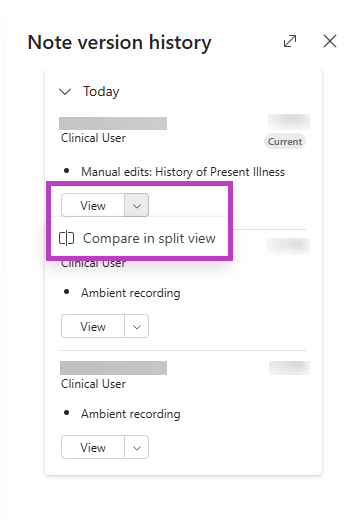
The Version history  lists AI-generated note versions and manual edits. You can review or compare previous versions and restore a previous note version if necessary.
View previous note versions
To display a previous note version:
- Select Version history
in the Note.
- Navigate to the previous note version.
- Select View to display the previous note version or select Compare in split view from the drop-down menu to display this version beside the current note version.
Note
- A Restore button appears in the Note when you display a previous note version - you can revert to that previous version (which then appears as "Current").
- Complete all ambient recordings before editing note sections in Dragon Copilot. Additional recordings generate new note versions from the combined transcript of the recordings only - they don't include prior edits or style updates. Use Version history
to restore previous versions or any revisions made before the recording if needed.